

WOPBLOCKSTUDIO / NEWS
· WopBlockStudio · Updated
Telegram Sticker Generator — from Minecraft skins to chat
Your Minecraft skin can do more than stand in your inventory. Give your character a whole range of emotions for Telegram chats.
Open the Sticker Generator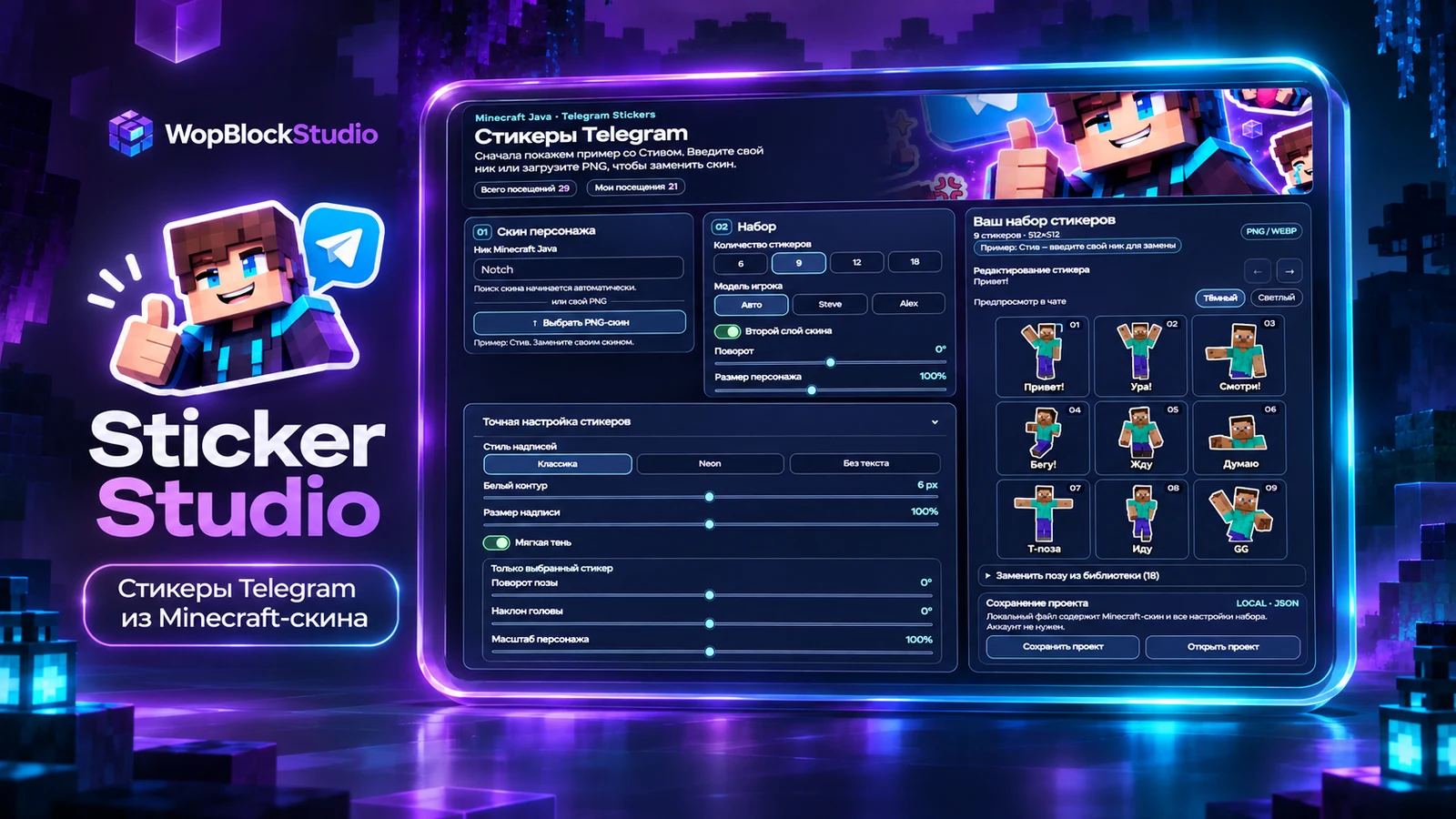
Your character, with a little more personality
After a while, your Minecraft skin becomes part of your story. It shows up in screenshots, videos, and countless adventures with friends. What if that same character could wave hello, look surprised, or say “GG” in a chat? That is what Sticker Studio is for: a Minecraft-skin sticker editor built into WopBlockStudio.
A working example from the very first click
Open the editor and you will find a sample pack of nine Steve stickers already on screen. No empty canvas, no mystery settings. Flip through the expressions, see how the pack feels, and replace Steve with your own character whenever you are ready. It is a simple way to understand the tool before changing anything.
Your own skin, by username or PNG
If you play Minecraft Java, try entering your username: the editor can look up your skin. You can also upload a local PNG file. Toggle the outer skin layer to compare jackets, hats and other details with the base character model. The model selector offers automatic, Steve and Alex options.
24 poses for your pack
One reaction image rarely covers a whole conversation. The Telegram Sticker Generator has 24 poses. Six feature illustrated artwork: a diamond, a pickaxe, TNT, a thumbs-up, magic and a cake. Choose 6, 9, 12, 18 or 24 stickers. Shuffle the poses to try a different set, or restore the original order. You do not need every pose; a smaller pack of favorites can be more fun to use.
Give each sticker its own character
Adjust your character’s rotation and size, caption style and scale, white outline and soft shadow. Keep things classic or try a brighter Neon caption. Individual sticker controls let you fine-tune pose rotation, head tilt and character scale without rebuilding the rest of the set.
Preview the whole conversation
Every selected sticker appears in a clear preview grid. Check the full set together, switch between light and dark preview backgrounds, and look for small details. A caption might be too large, or a pose might be harder to read than expected. Swap a pose from the library and preview it before exporting. The editor now follows the layout of other tools, with short guides, FAQ, likes and reviews.
Export a file or the entire pack
When you like the result, export transparent PNG or WEBP files. Download a selected sticker on its own or get the whole set as a ZIP archive. This is a file export, not an automatic Telegram publishing service: you add the generated images to Telegram using the platform’s own sticker tools.
Save your work and come back
Maybe today is for choosing poses and tomorrow is for finding the perfect captions. You can save a local JSON project and open it again later. The project stores the settings and information required by the editor to restore your work, making it easier to compare several ideas without starting from scratch.
Make it yours, then tell us what is missing
The Telegram Sticker Generator is available on WopBlockStudio now. Start with your own character and give it reactions your friends will recognize. If a pose, control or tiny detail gets in the way, tell us. Those observations are how a useful creative tool gets better.
Quick answers
Do I need an account?
No sign-in is required to create and export a local pack. You can also save the project locally as a JSON file.
Can I use my own Minecraft skin?
Yes. Enter a Minecraft Java username or upload the skin PNG file, then check the result in the preview.
Will the stickers appear in Telegram automatically?
No. The editor exports image files; you can then add them to a sticker pack using Telegram’s own tools.
Wish you had one more pose?
If you want a different expression, an easier control, or have spotted a bug, send us a message through the project contacts. Suggestions help us improve real features instead of promising things that do not exist yet.
Share an ideaGive your Minecraft skin a voice
Steve is already waiting in the editor. Swap in your own character, choose a few emotions, and build something you will genuinely want to send in a chat.